IQ Option Open Account: Trading Account Steps & Requirements

Work through a straightforward sequence: create credentials and confirm contact details, pick demo or live, complete your profile, upload government ID and proof of address, enable two‑factor authentication, then fund the account using a supported payment method. Expect verification checks that can range from a few hours to several days depending on document quality and local banking. The steps below cover document tips, minimum funding expectations, typical payment methods, common signup errors and fixes, and security precautions to help you move from registration to trading confidently.
How to Open a Trading Account with Email on IQ Option
1. Visit the IQ Option website and click on [Sign Up] in the upper right corner page.
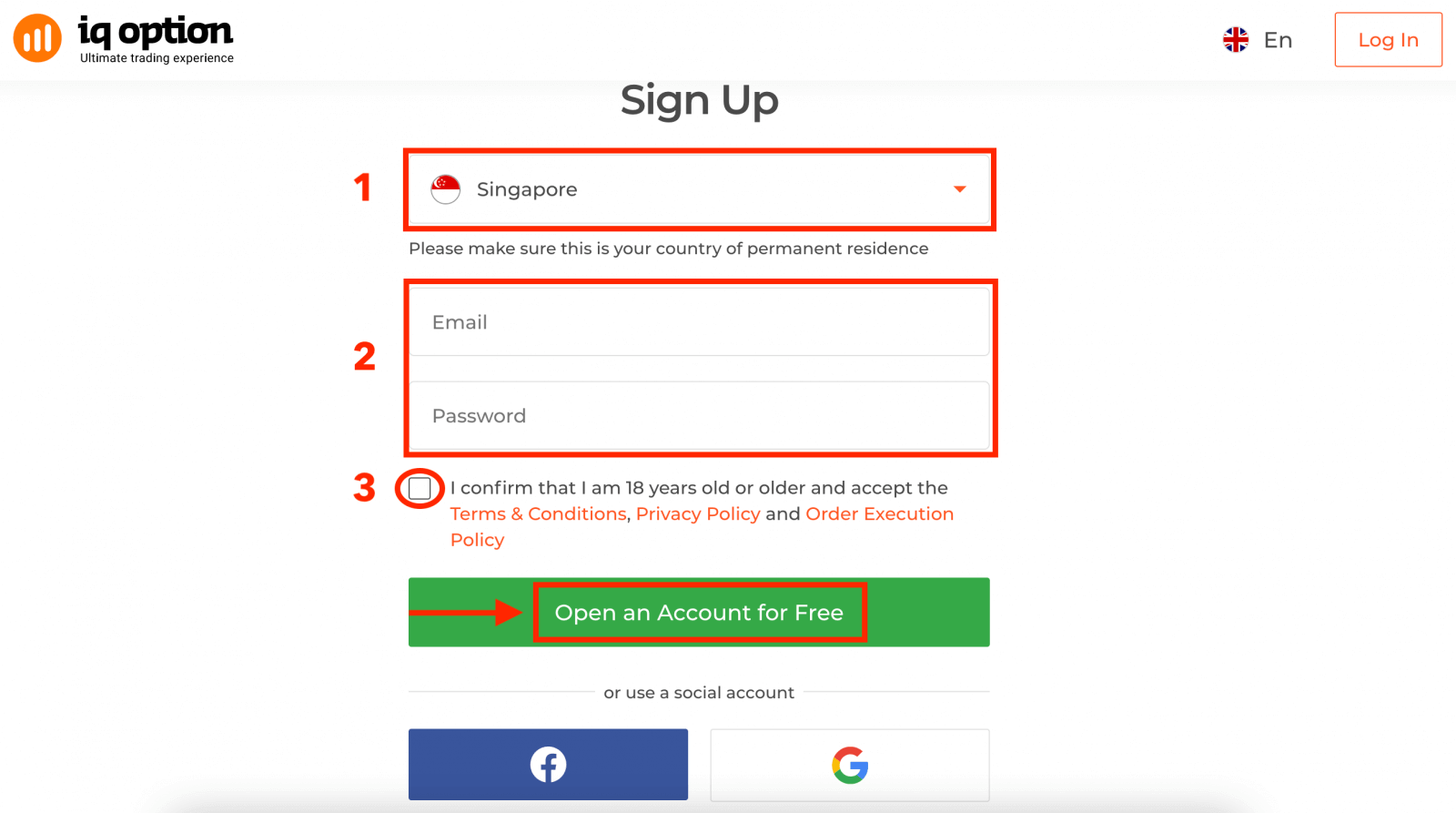
2. To sign-up you need to fill in all the necessary information and click "Open an Account for Free"
- Choose your country of permanent residence.
- Enter a valid email address and create a secure password.
- Read the Privacy Policy and confirm it by clicking the checkbox.
Congratulation! You have registered successfully.
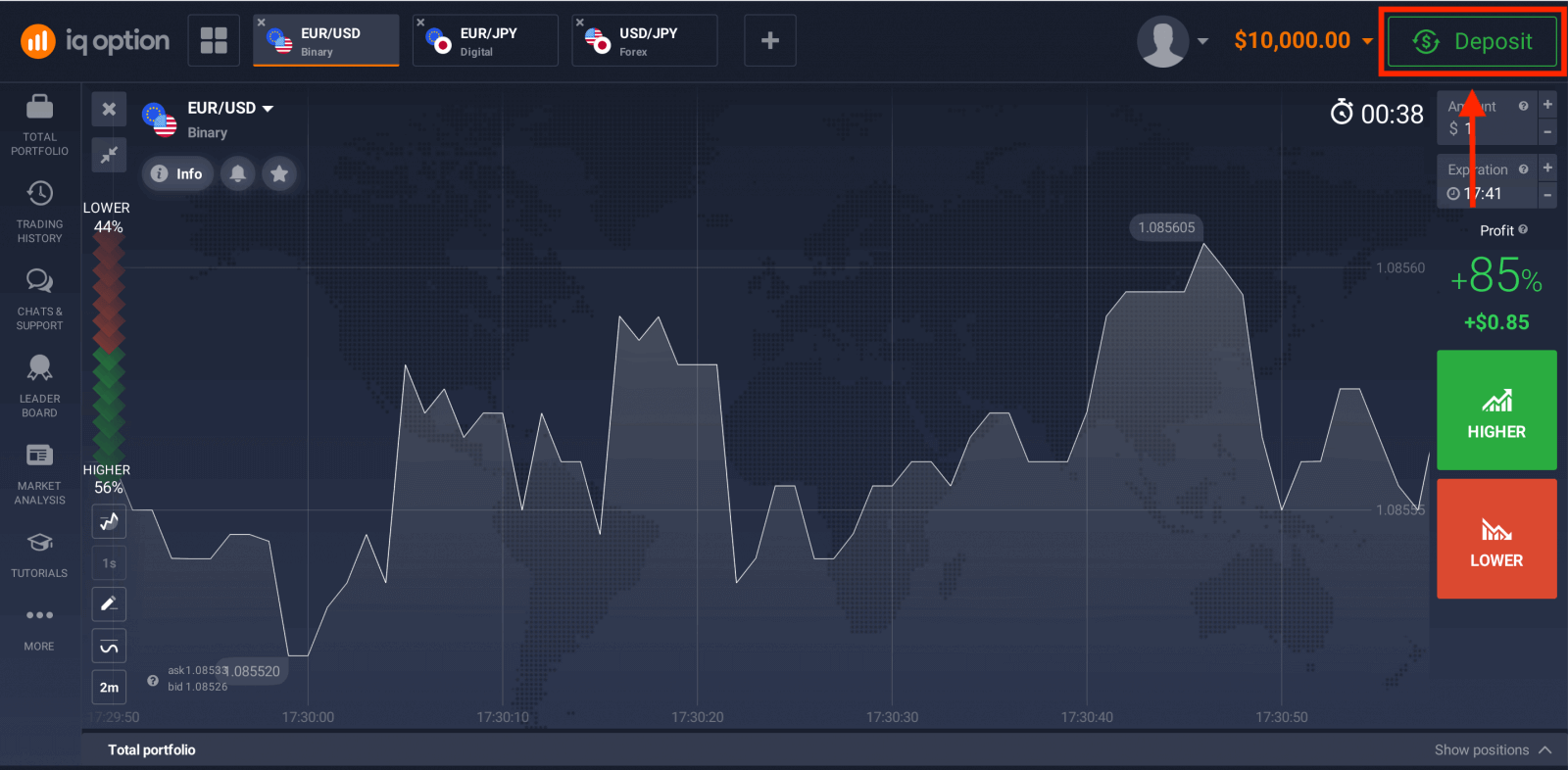
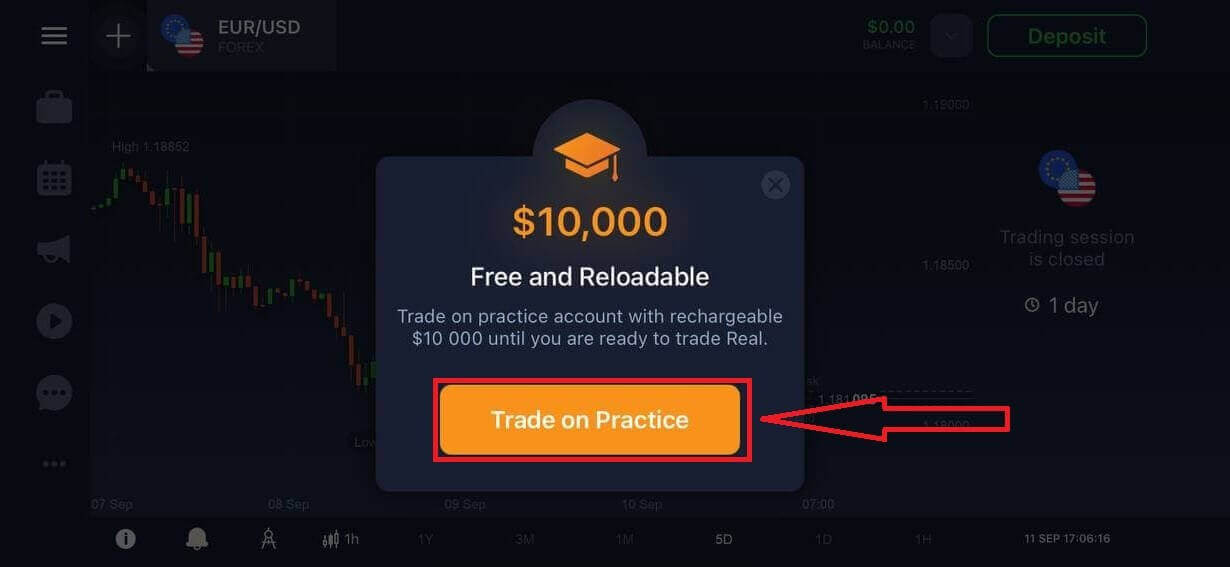
Now you are able to start trading. You have $10,000 in your Demo Account. A demo account is a tool for you to get familiar with the platform, practice your trading skills on different assets and try out new mechanics on a real-time chart without risks.
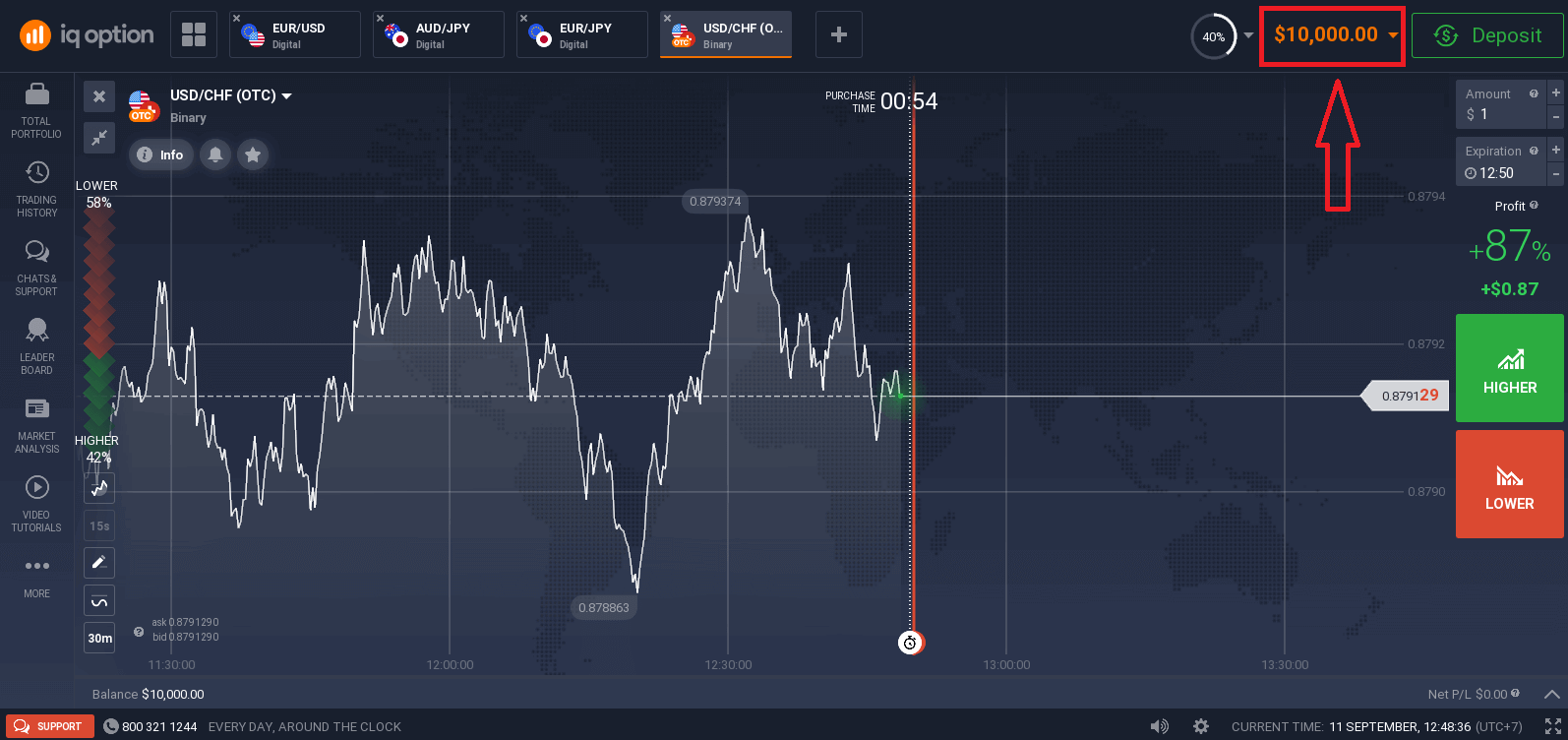
You can also trade on a Real account after depositing by clicking "Deposit" in the upper right corner page.
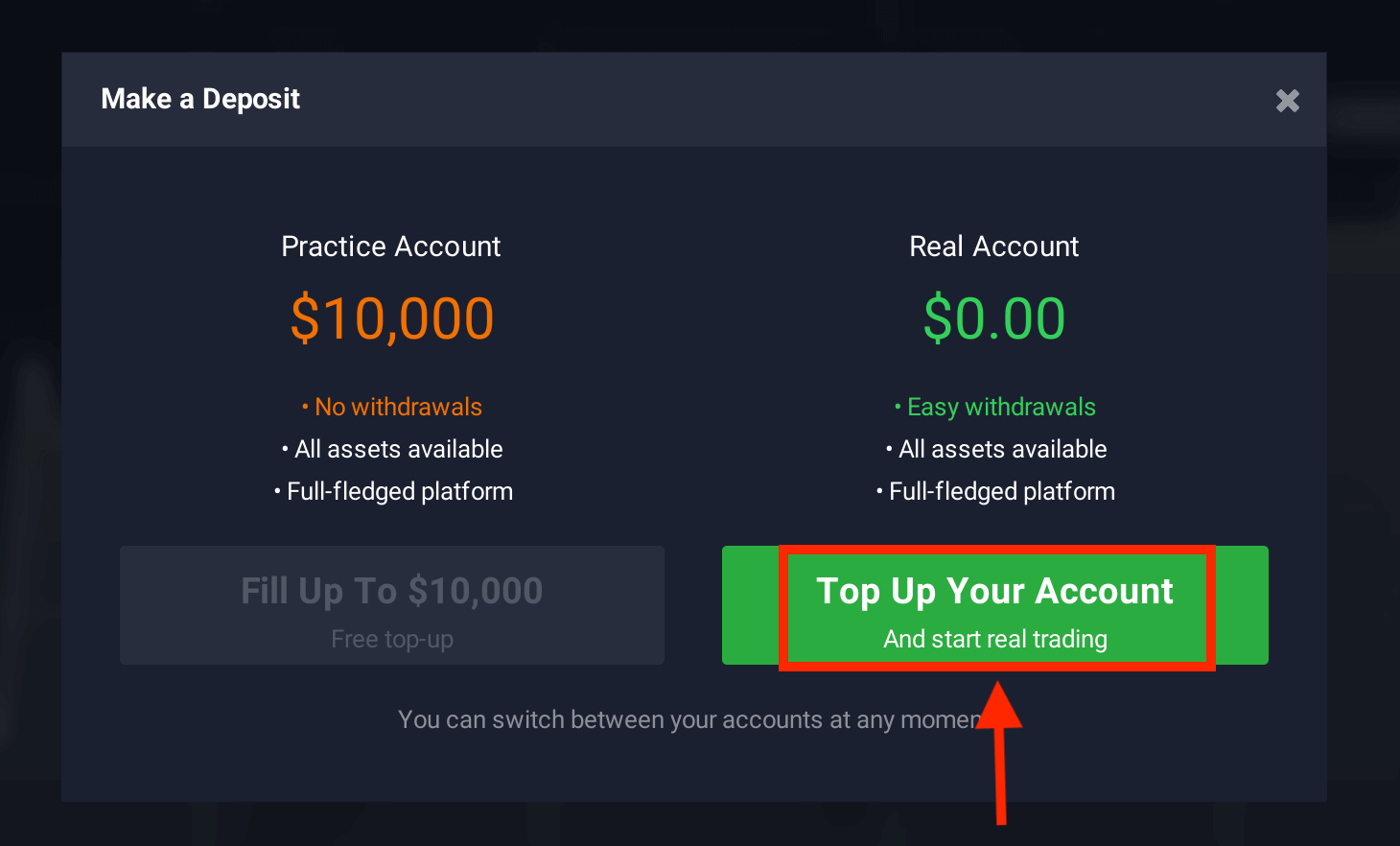
And click "Top Up Your Account" (The minimum deposit is 10 USD).
Refer to this article to know more about Deposit: How to Deposit on IQ Option
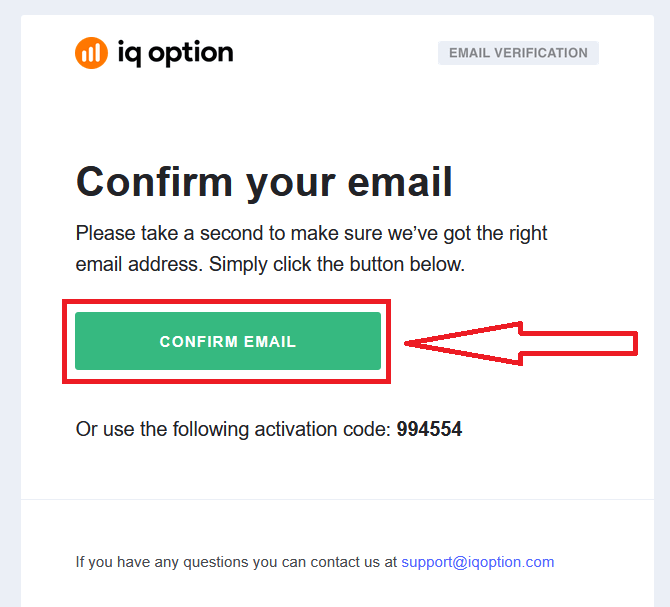
Finally, you access your email, IQ Option will send you a confirmation mail. Click the link in that mail to activate your account. So, you will finish registering and activating your account.
How to Open a Trading Account with Facebook on IQ Option
Also, you have the option to open an IQ Option account using Facebook which is a quick and easy way to create your trading account and start trading.1. Click on the Facebook button.
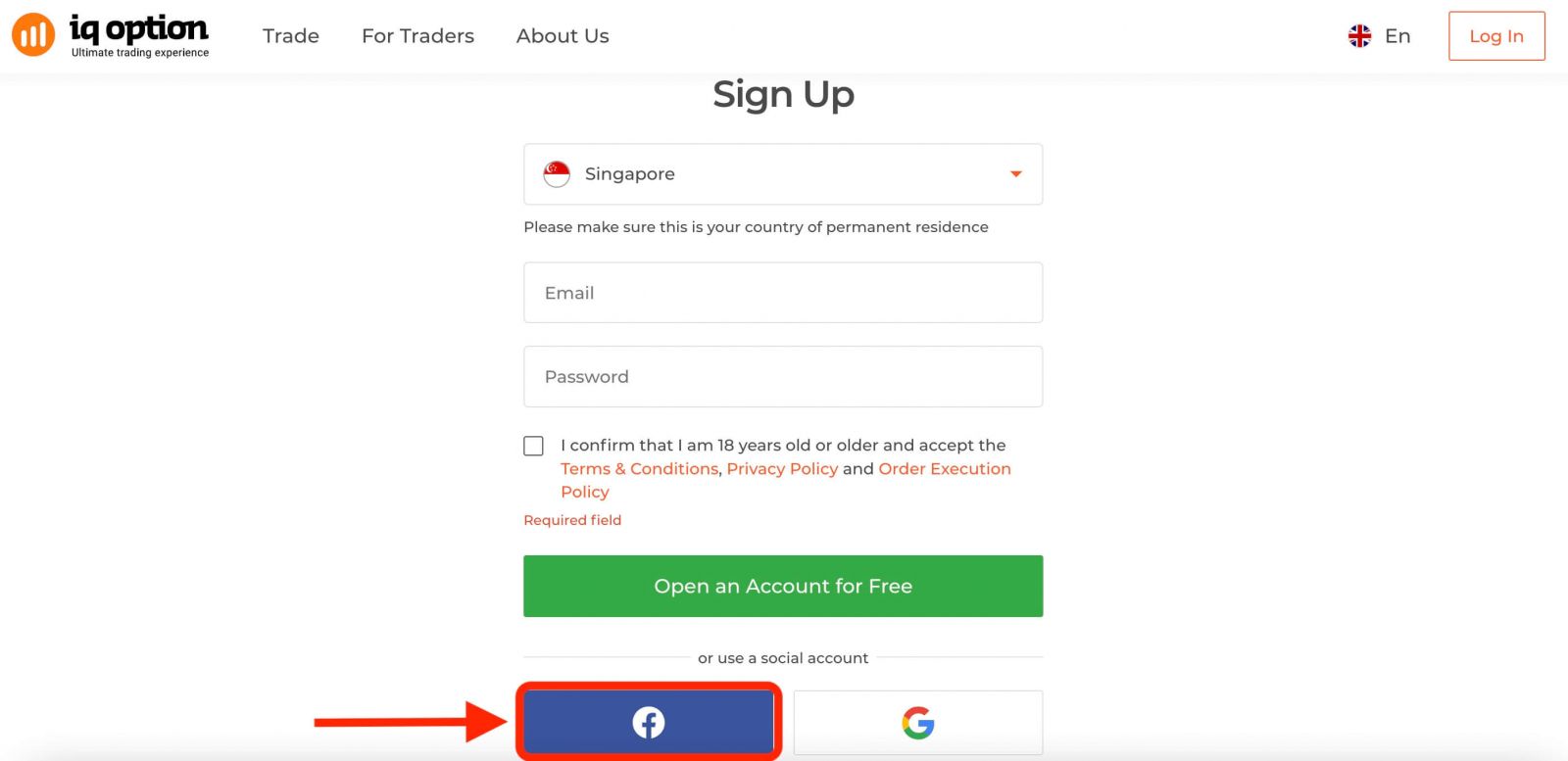
Then it will ask you that you are 18 years old or older and accept Terms Conditions, Privacy Policy and Order Execution Policy, click "Confirm".
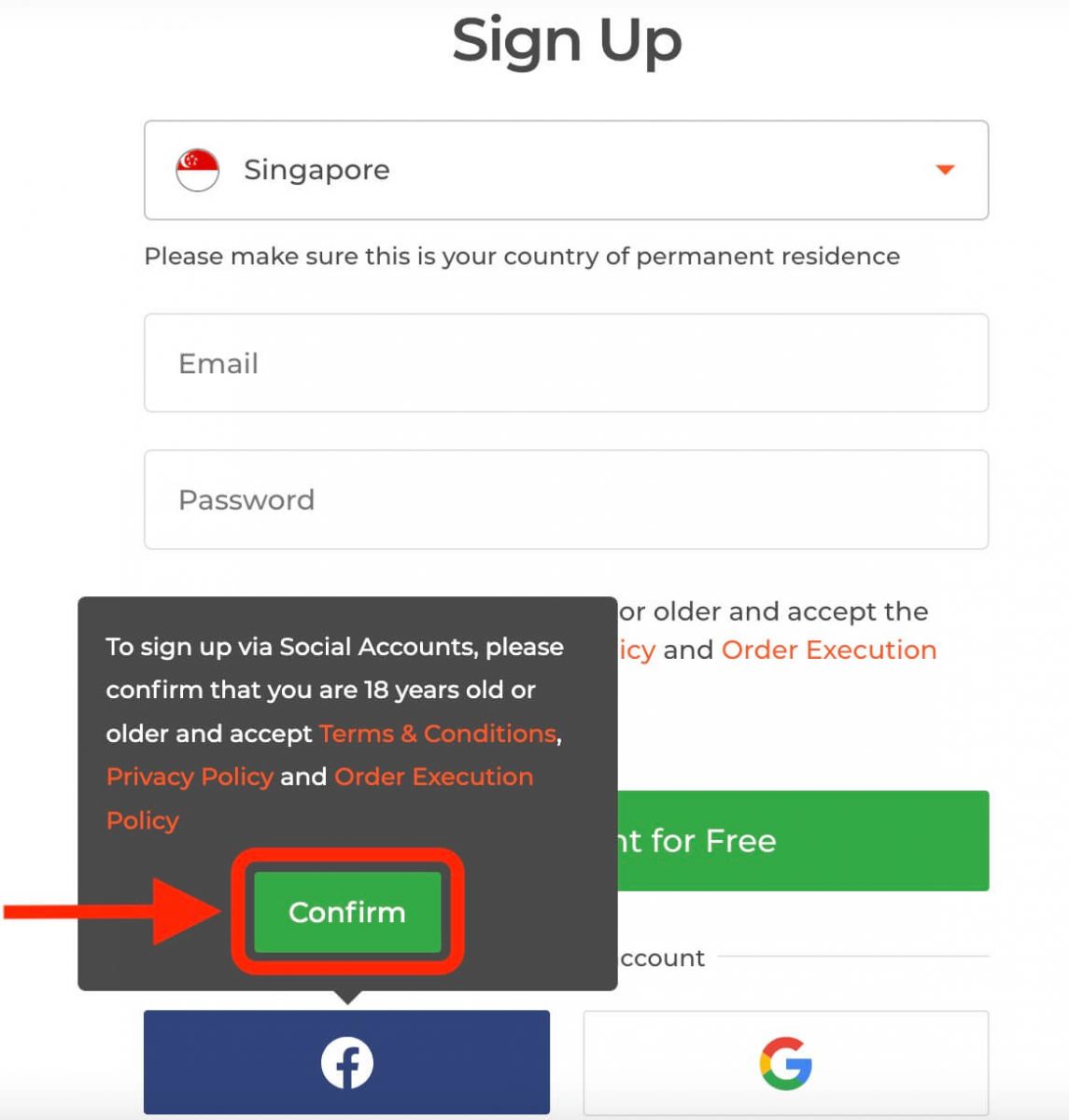
2. You will be redirected to the Facebook login page.
3. Enter your Facebook email and password.
4. Click on “Log In”.
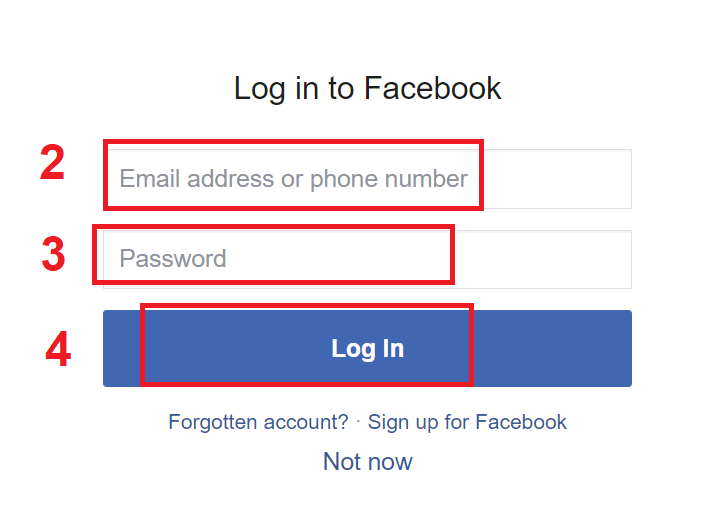
You will be asked to confirm your identity and grant permission to IQ Option to access some of your Facebook information, such as your name and profile picture. Click on "Continue as ...".
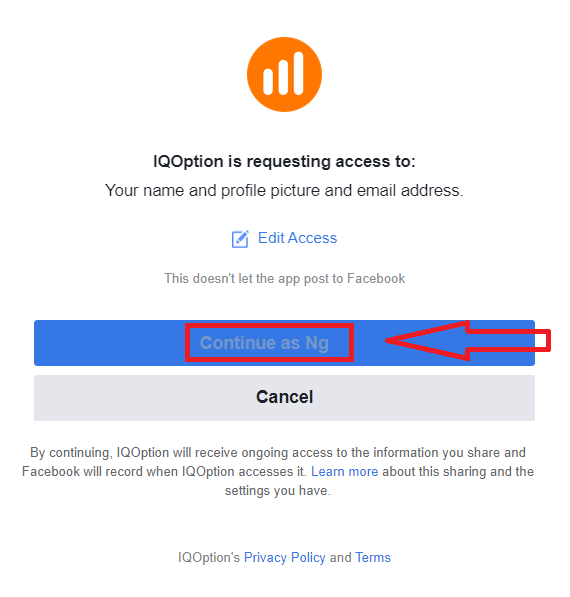
After that, you will be redirected back to the IQ Option website, where your trading account will be created automatically.
You can now start trading on IQ Option with your Facebook account. You can also access your account settings, deposit and withdraw funds, verify your identity and more from the menu at the top right corner of the page.
How to Open a Trading Account with Google on IQ Option
1. IQ Option is also available for registration using a Google account. To register, you need to authorize your Google account by clicking on the corresponding button in the registration form.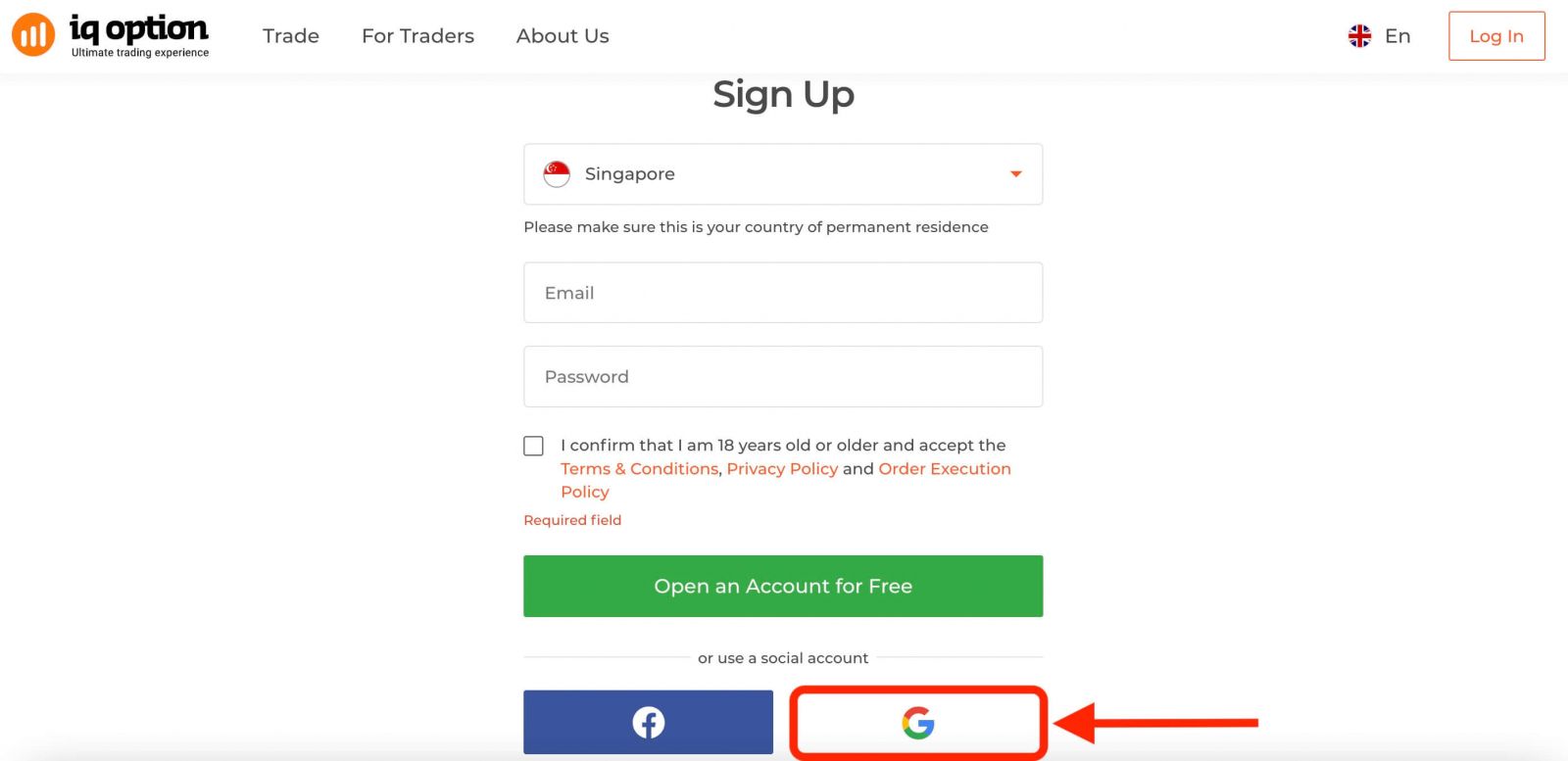
Then it will ask you that you are 18 years old or older and accept Terms Conditions, Privacy Policy and Order Execution Policy, click "Confirm".
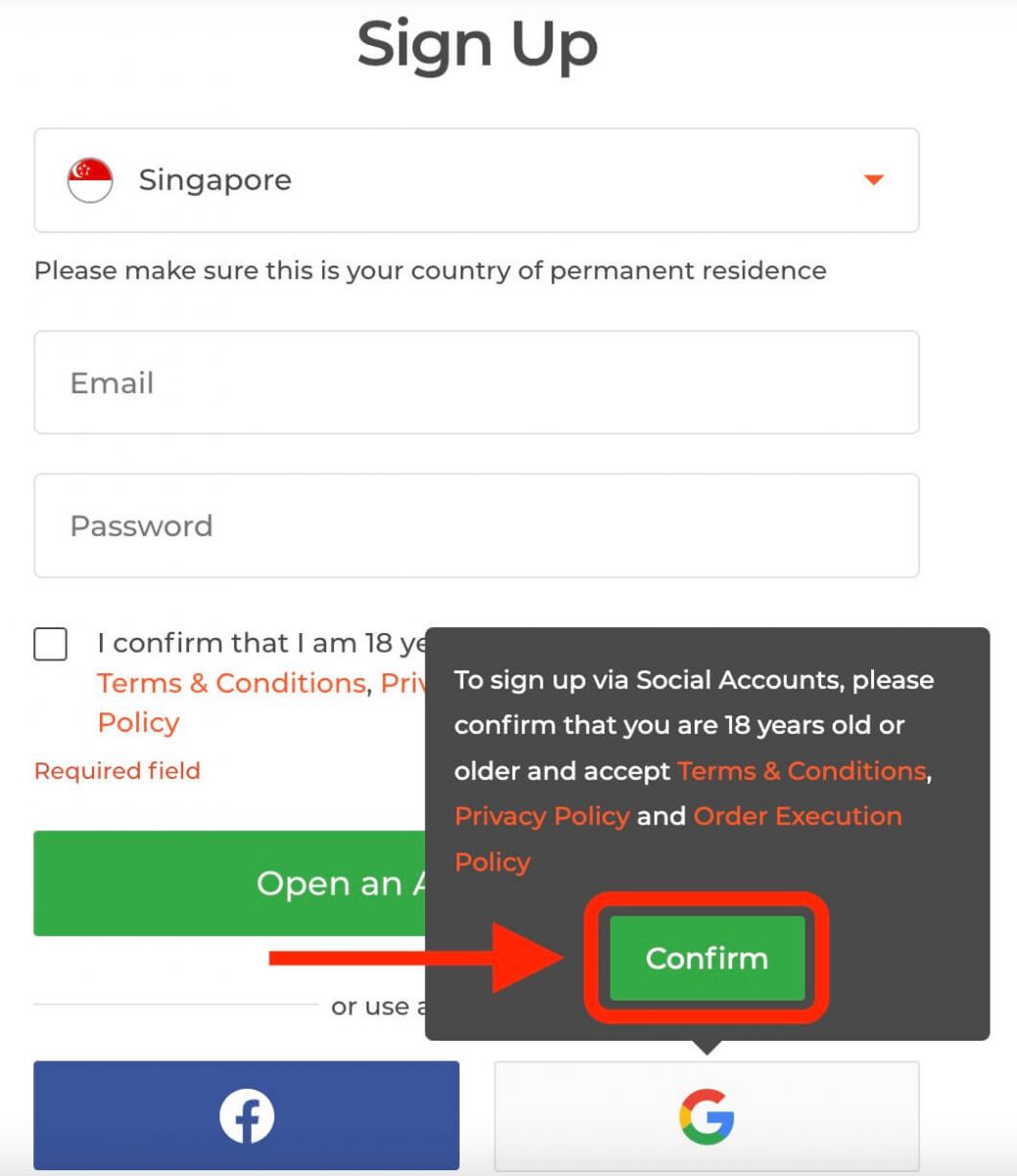
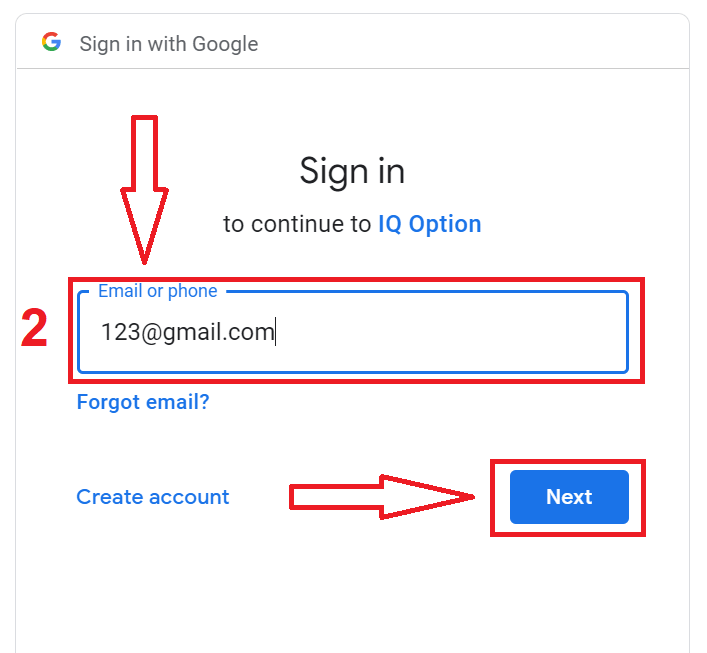
2. You will be redirected to a Google sign-in page where you can enter your existing google account credentials.
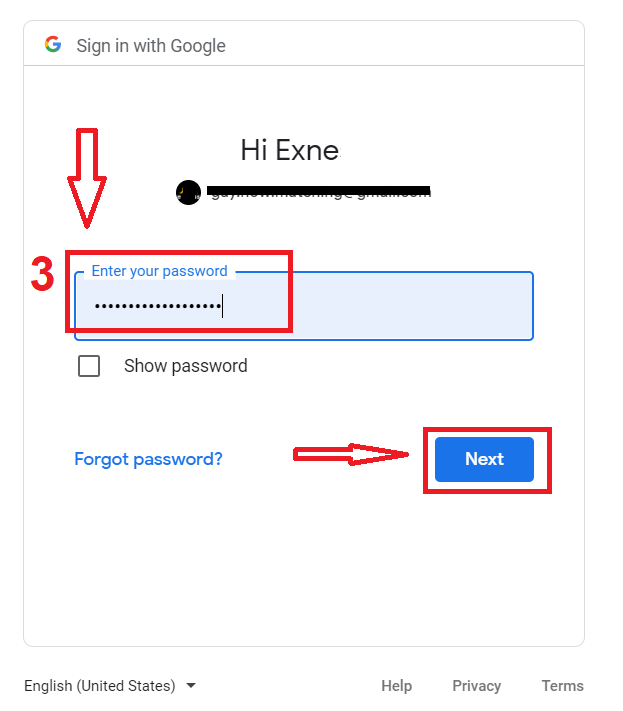
3. Then enter the password for your Google account and click “Next”.
Congratulations! You have successfully registered with a google account on IQ Option. You will then be taken to your IQ Option dashboard where you can complete your profile, verify your identity, deposit funds and start trading.
You can now enjoy the benefits of trading on one of the most advanced and user-friendly platforms in the market.
Open a Trading Account on IQ Option App iOS
If you are looking for a convenient and user-friendly way to trade on your iPhone or iPad, you may want to try the IQ Option app iOS. We will show you how to download, install and register an account on the IQ Option app iOS in a few simple steps.Step 1: Download the IQ Option app iOS from the App Store.
The first step is to go to the App Store on your iOS device and search for "IQ Option". Alternatively, you can download the app directly here.
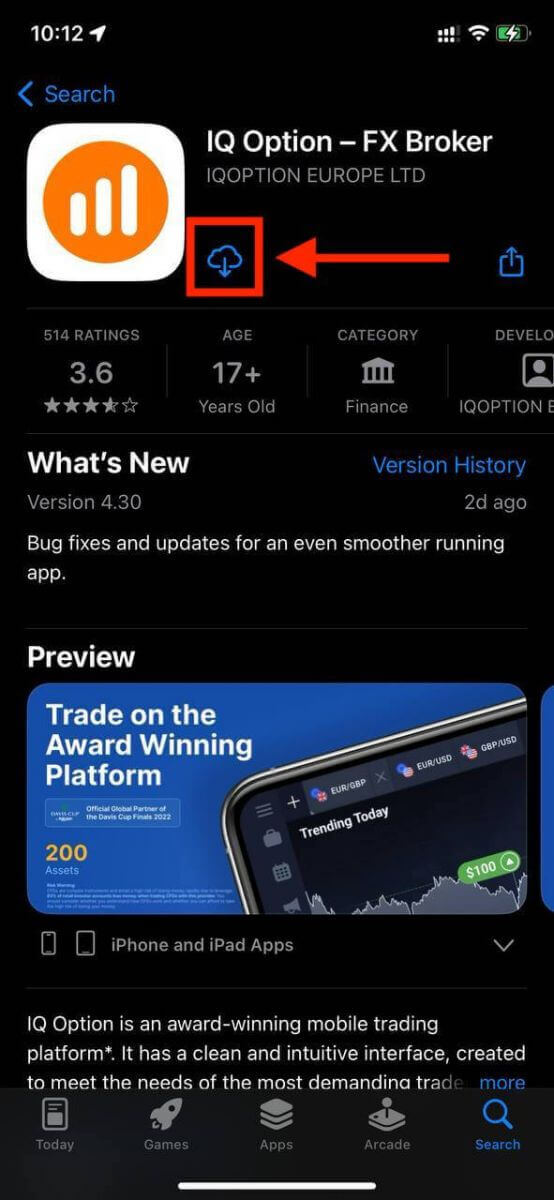
Step 2: Register an account on the IQ Option app iOS.
Once you have downloaded the app, you can tap on it to open it and start the installation process.
Fill in the registration form with your personal details:
- Enter a valid email address.
- Create a strong password.
- Select your country of permanent residence.
- Agree to the terms and conditions of the platform and click "Register".
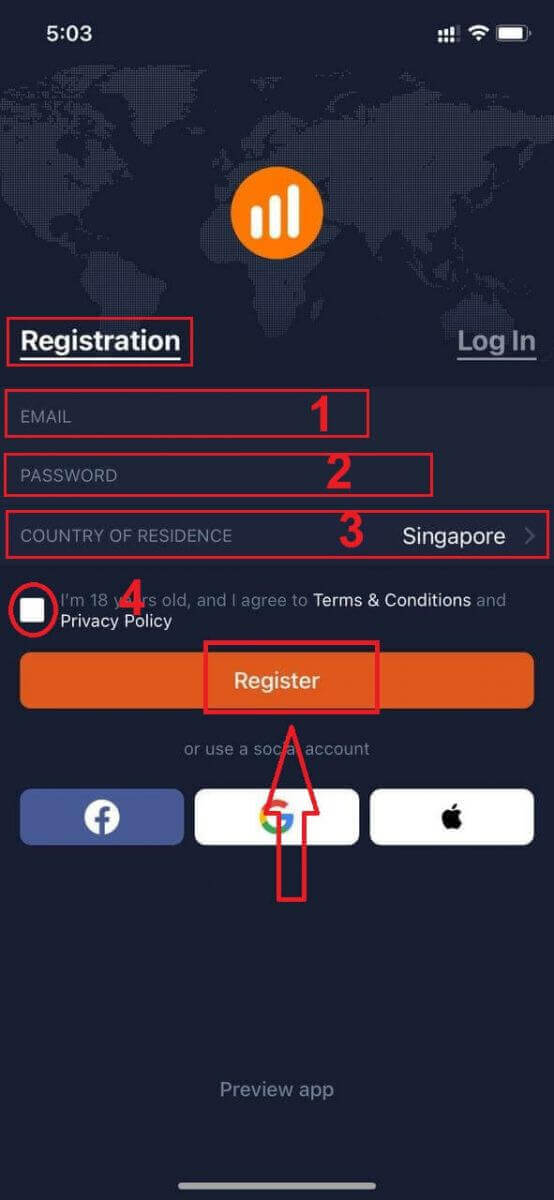
Congratulations! You have successfully registered an account on the IQ Option app iOS and are ready to start trading on your mobile device.
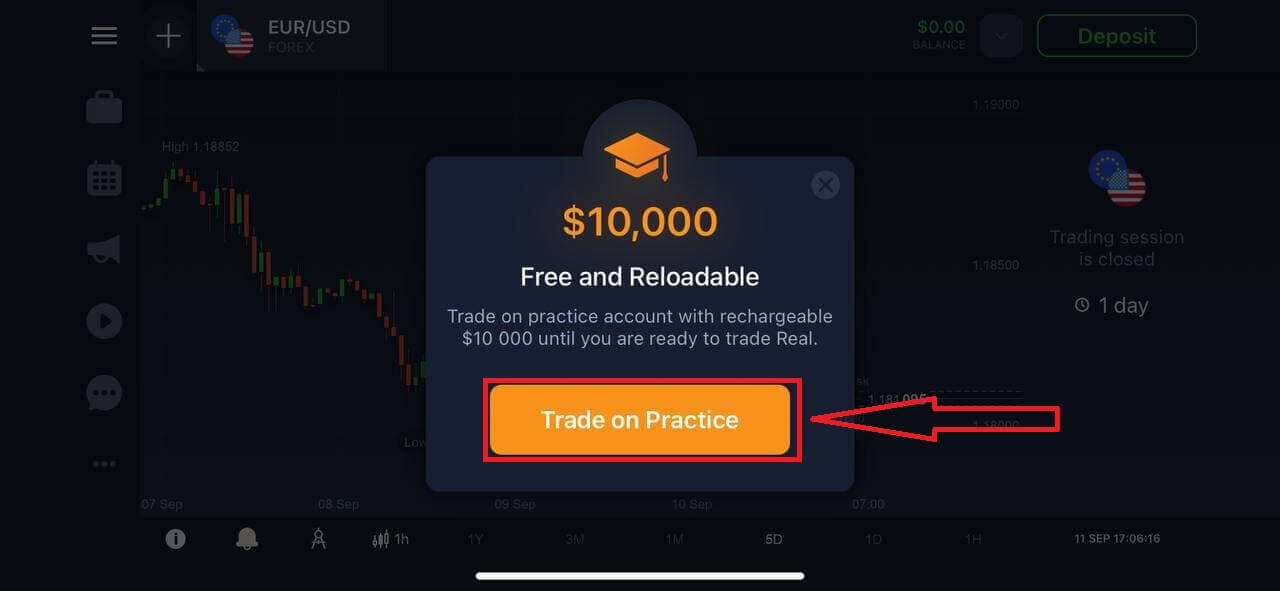
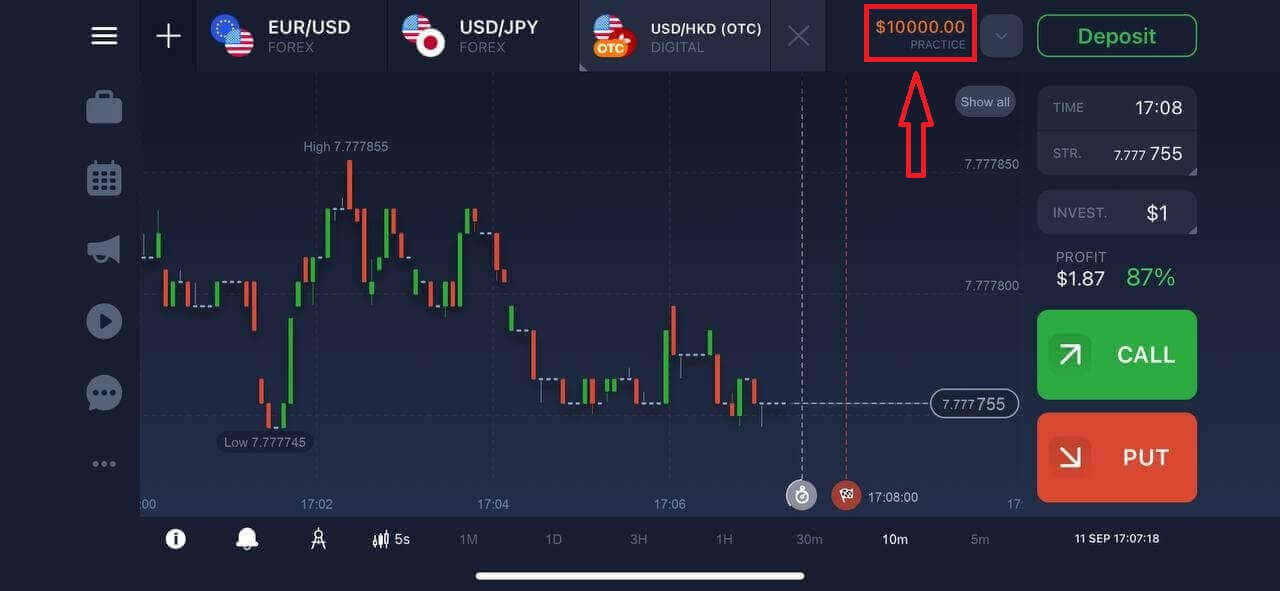
You have $10,000 in your Demo Account. You can choose from hundreds of assets to trade, analyze price charts, use various indicators and tools, set up alerts and notifications, make deposits and withdrawals, contact customer support and more.
Open a Trading Account on IQ Option App Android
IQ Option app Android is a user-friendly and powerful trading platform that allows you to trade anytime and anywhere.We will show you how to download and register an account on IQ Option app Android, which is one of the most convenient ways to trade on the go.
Step 1: Download the app.
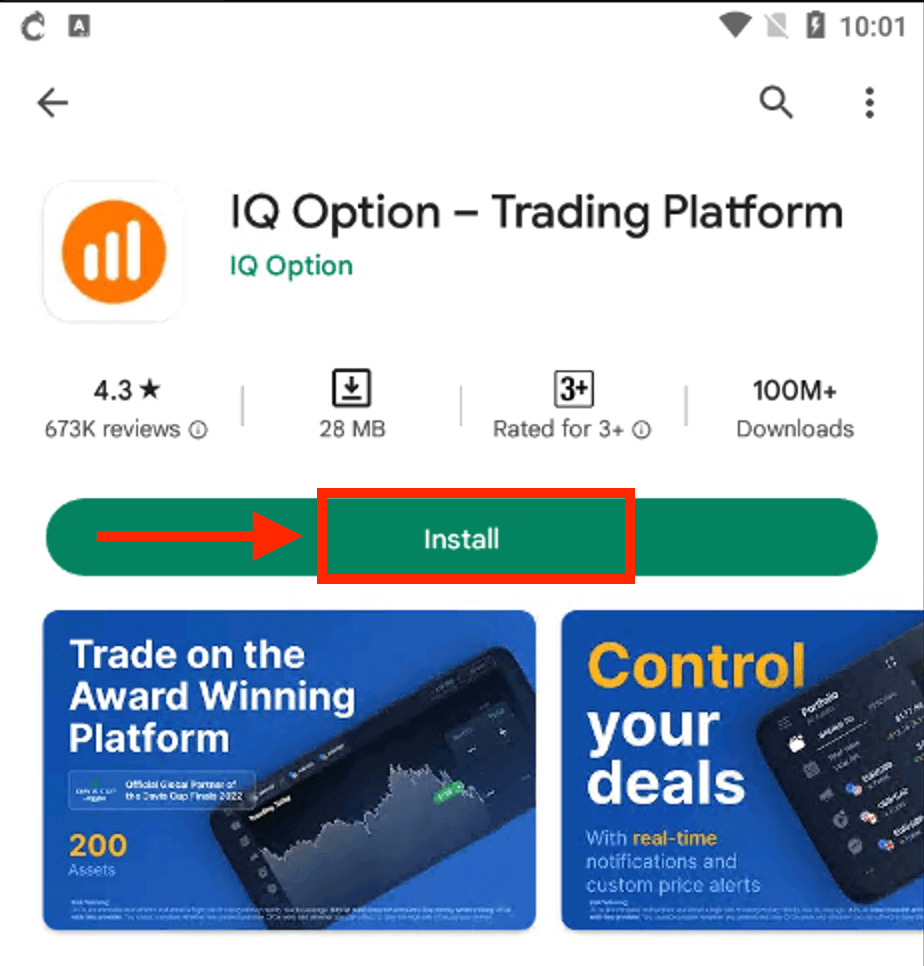
To download the IQ Option app Android, you can either go to the Google Play Store and search for "IQ Option – Trading Platform" or click here.
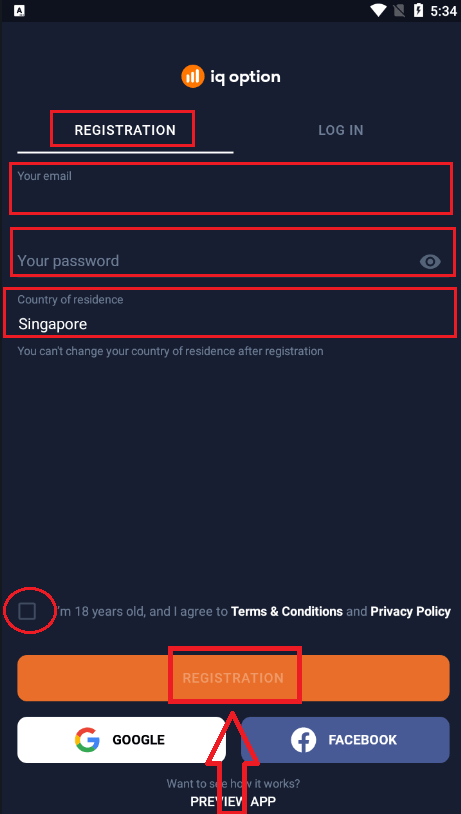
Step 2: Open the app and sign up.
Once you have downloaded and installed the app, open it and you will see a registration form where you can enter your email, password and select your country. You also need to agree to the terms and conditions and privacy policy by checking the box. Alternatively, you can sign up with your Google or Facebook account by tapping on the corresponding buttons.
Congratulations, you have successfully created your IQ Option account. You can start exploring the features of the IQ Option app Android.
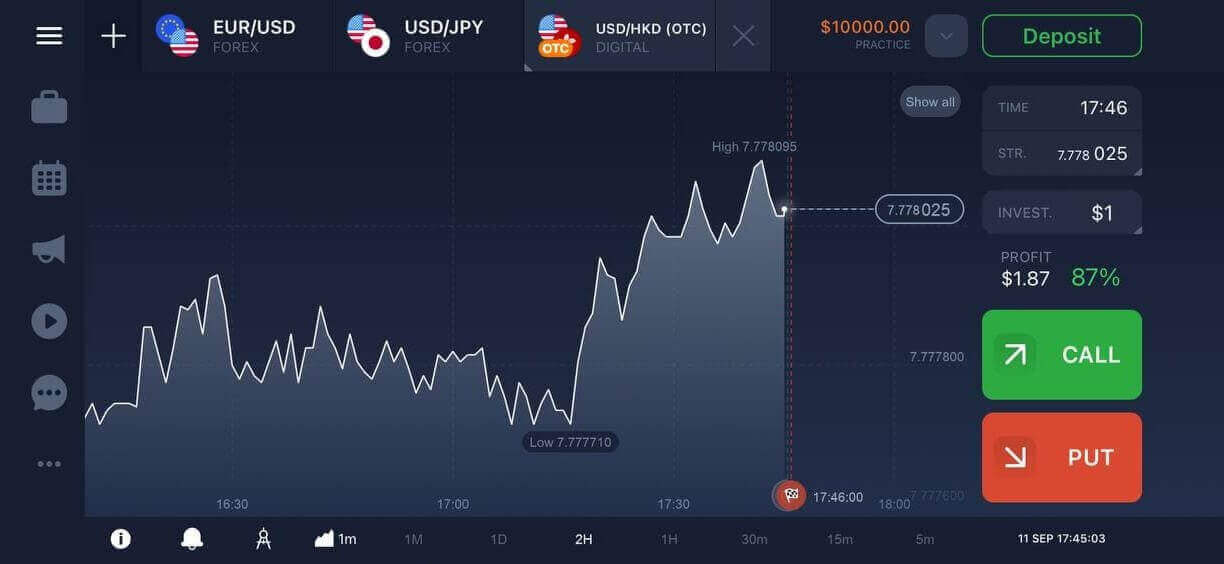
You can switch between a free demo account and a real account by tapping on the balance icon at the top right corner. You can also choose from over 300 assets to trade, view charts and indicators, set alerts, and manage your trades.
Open IQ Option Trading Account on Mobile Web Version
We will show you how to register an IQ Option account on the mobile web, which is compatible with any device and browser.Step 1: Open up your browser on your mobile device. After that, visit the IQ Option website.
Step 2: On the homepage, you will see a "Trade Now" button in the center. Click on it to open a registration form.
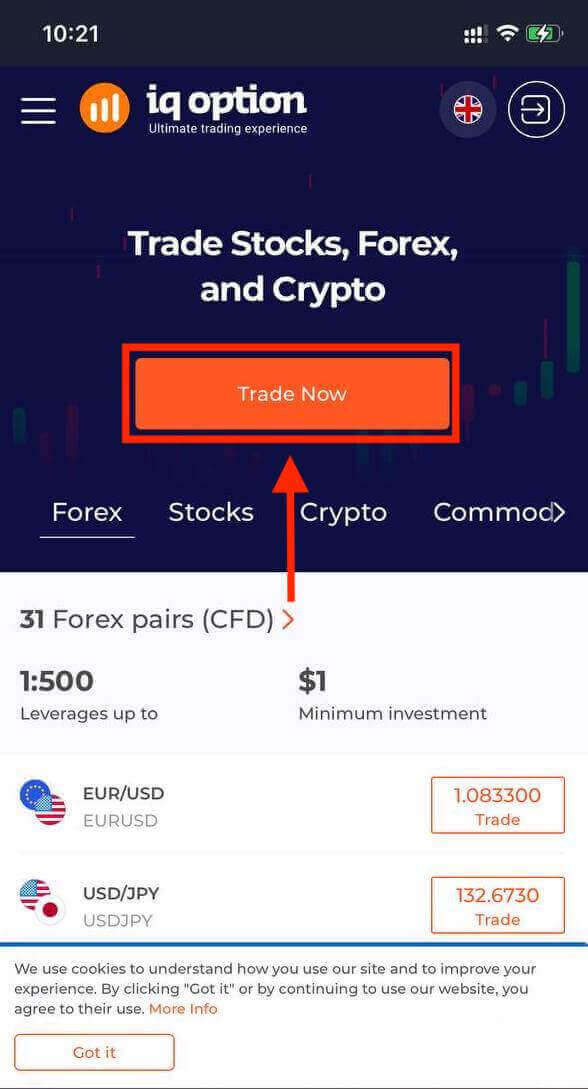
You will need to select your country and enter your email address, create a password and agree to the terms and conditions. You can also sign up with your Facebook or Google account if you prefer.
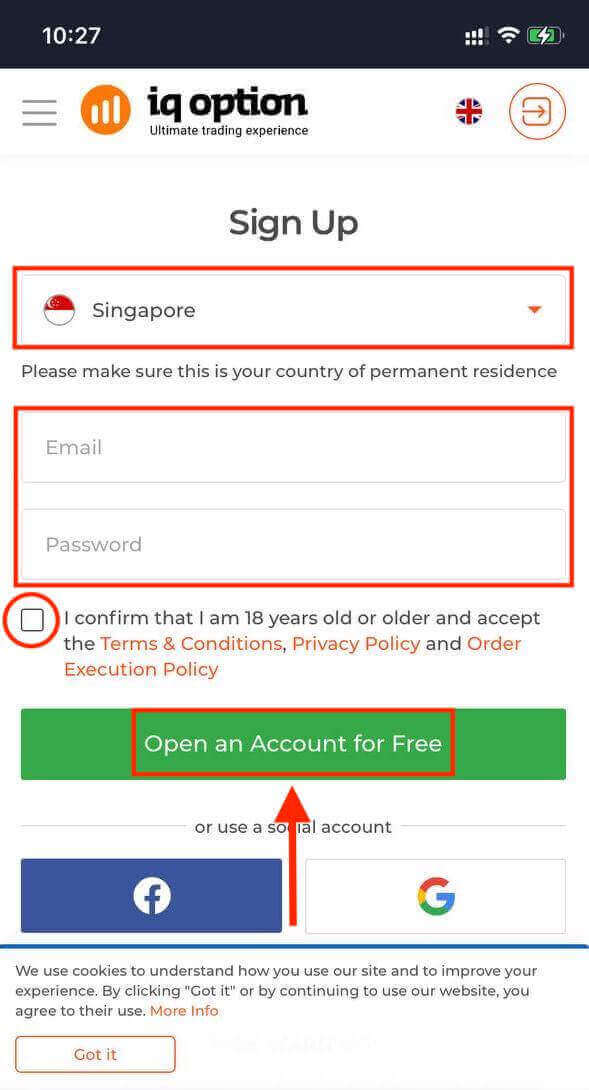
Congratulations! You have successfully registered an IQ Option account on the mobile web version. You can now explore the platform and start trading.
The mobile web version of the trading platform is exactly the same as the regular web version of it. Consequently, there won’t be any problems with trading and transferring funds.
Frequently Asked Questions (FAQ)
How much money can I make on the practice account?
You cannot profit from the trades you make on a practice account. On a practice account, you receive virtual funds and make virtual trades. It is designed for training purposes only. To trade with real money, you need to deposit funds into a real account.
How do I switch between practice account and real account?
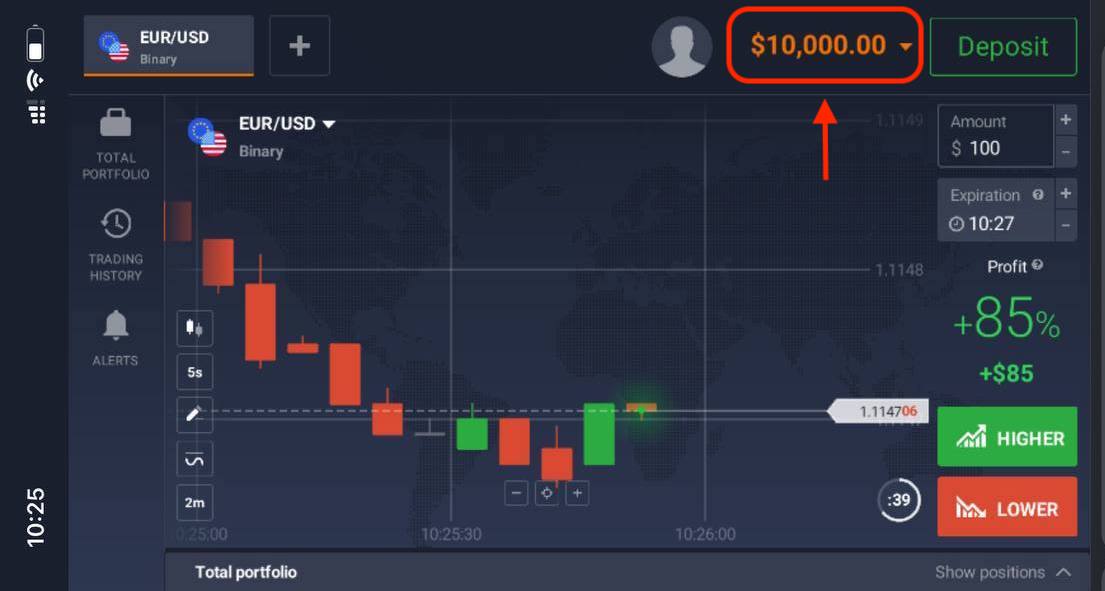
To switch between accounts, click on your balance in the upper right corner. Make sure that you are in the traderoom. The panel that opens displays all of your accounts: your real account and your practice account. Click on the account to make it active. Now you can use it to trade.
How do I top up my practice account?
You can always top up your practice account for free if your balance drops below $10,000. You must first select this account. Then click on the green Deposit button with two arrows in the upper right corner. A window will open in which you can select which account you want to deposit: a practice account or a real account.